
ZBrush Character Design - DynaMesh Sculpting Techniques
John Mahoney
Learn ZBrush sculpture techniques with concept designer, master sculptor, and art teacher John Mahoney, including how to use DynaMesh and a host of virtual sculpting techniques to bring your physical sculptures into the digital world.
Every character creator should explore CGI as an artistic tool and ZBrush is one of the "go-to" digital sculpting programs for many special effects and creature designers.
Curriculum
1. Title & Introduction - 8min
2. Using the Clay Build Tool - 5min
3. Education - 3min
4. Creating Anatomy - 12min
5. Adding Arms - 6min
6. The Illusion of Weight - 5min
7. Adding Hands - 4min
8. Adding the Head - 5min
9. Eyes - 4min
10. Daydreaming - 4min
11. Creating Wrinkles - 3min
12. Sculpting the Mouth & Adding Eyelids - 3min
13. Teeth - 7min
14. Appending the Body to the Head & Refining the Pose - 6min
15. Adding Subtools - 11min
16. Adding Organic Tubes - 5min
17. Awareness of Viewing Space - 2min
18. Adding the Sculpture Base - 56s
19. Adding Another Character to the Piece - 4min
20. Adding Details - 2min
21. Chains - 3min
22. More Detail - 20min
23. Inspiration Now - 1min
24. Adding Texture - 6min
25. Colored Pencil Technique - 3min
26. Adding Veins - 5min
27. The Future of Digital Sculpting - 8min
28. The Beauty of Nature - 9min
29. Pushing the Pose - 7min
30. Final Coloring - 9min
31. Wrap Up - 1min
Materials
Artist BiographyJohn Mahoney
Teacher, Sculptor, Concept Designer and Independent Film Maker. John finds his passion in fine art education both practical and digital.
See Full Bio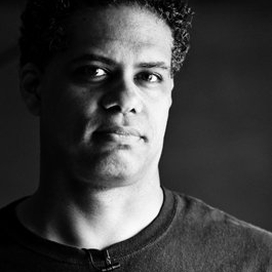
Get FREE Popular Course Content!
Free lessons from 16 of our most popular courses, taught by Hollywood's leading FX artists. Plus our newsletter with new courses, artist stories and special offers.